FRAMEHOW
One place to mentally put together your shoot.
Import storyboard. Shoot your camera angles. Draw floor plans. Add references. Rearrange, refine, export — and share your vision.
Syncs across your tablet, desktop, and phone.
One place to mentally put together your shoot.
Import storyboard. Shoot your camera angles. Draw floor plans. Add references. Rearrange, refine, export — and share your vision.
Syncs across your tablet, desktop, and phone.
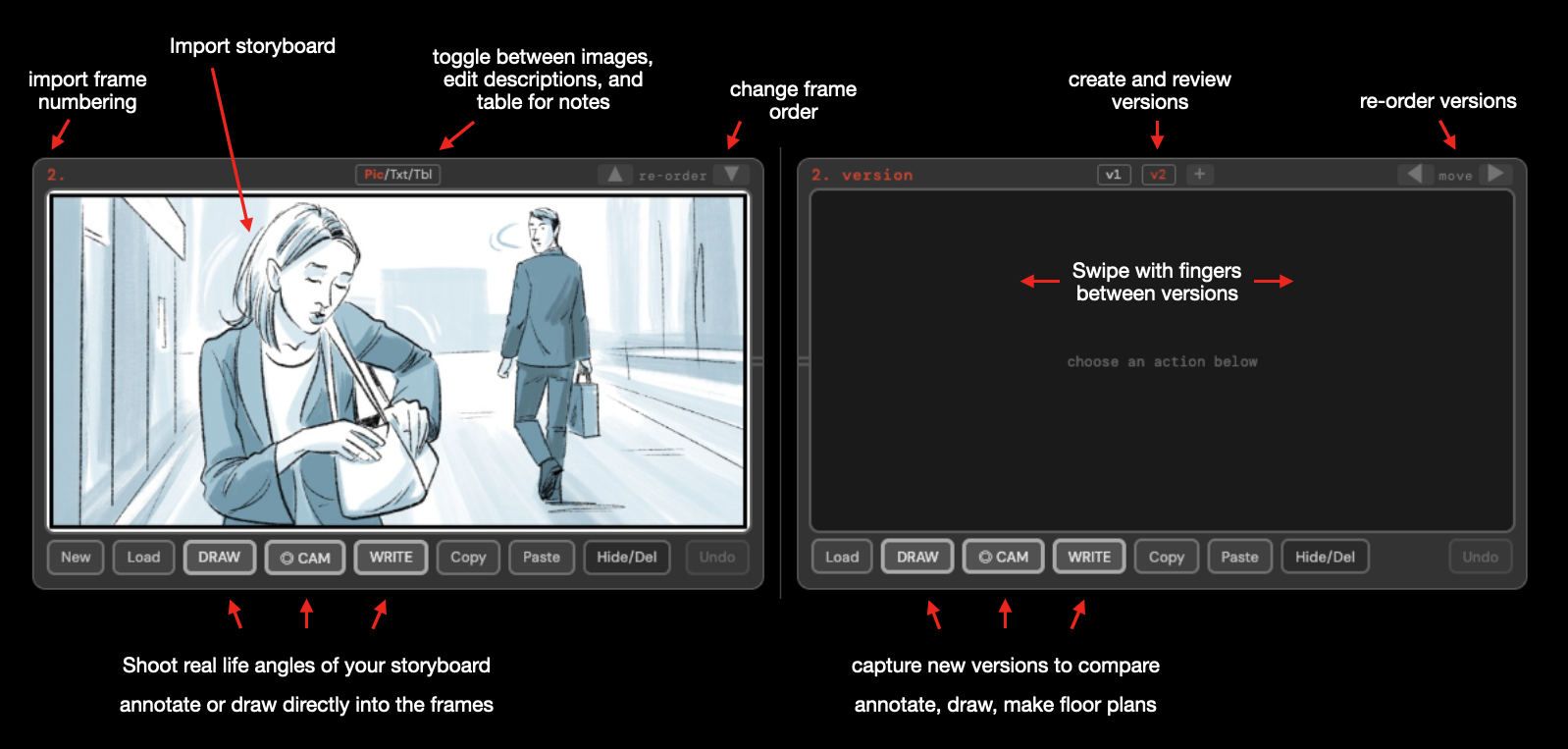
Load a storyboard PDF and Framehow extracts every frame automatically — labels, descriptions. Or import images.
Use tablet's camera to capture your shot angles beside storyboard frames. Viewfinder with aspect ratio guide.
Storyboard and versions side by side. Swipe through shot ideas, compare angles, track changes.
Sketch directly on your frames. Mark camera moves, and notes.
Swipe with your fingers right and left to browse through versions.
iPhone, iPad, desktop — add to home screen as an app.
Export for set, so you have a full overview of what you're shooting. Take your notes and images into post.